How weekly sprints work
The week is KnightLeap's unit of execution. Every project runs as one shared weekly sprint that you plan on Monday and review at the end — close enough to feel urgent, long enough to move something real.
One sprint per project, per week
Each project has exactly one sprint per week, shared across everyone who plans it. Whoever opens the planner sees and edits the same goals, capacity, and routines — there are no per-person copies and no “whose plan is right.” If you run several businesses, each project gets its own weekly sprint, and you plan them all in one pass.
Plan the week (Monday, ~10 minutes)
Open Plan Week and move through two short steps:
- Capacity — set how many hours each project gets this week. You can plan up to four weeks ahead with the week picker.
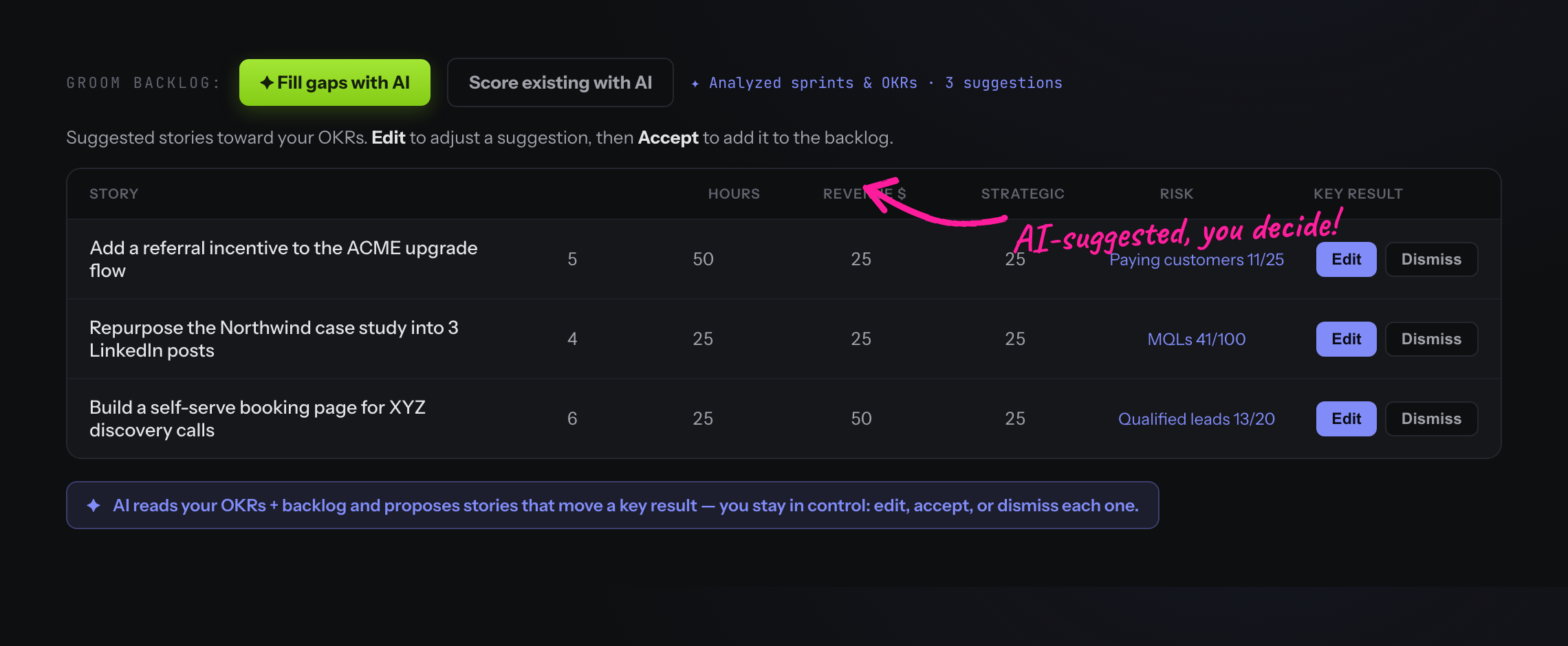
- Goals — for each project, add up to three goals, each optionally rolling up into an epic and a quarterly objective. Fill goals with stories now, or pull them from the backlog as the week runs.
Saving goals activates that project's sprint. A project with no goals you'd rather not plan this week? Hit Skip this week — it won't nag you, and it won't count against the team.
Where the work lives
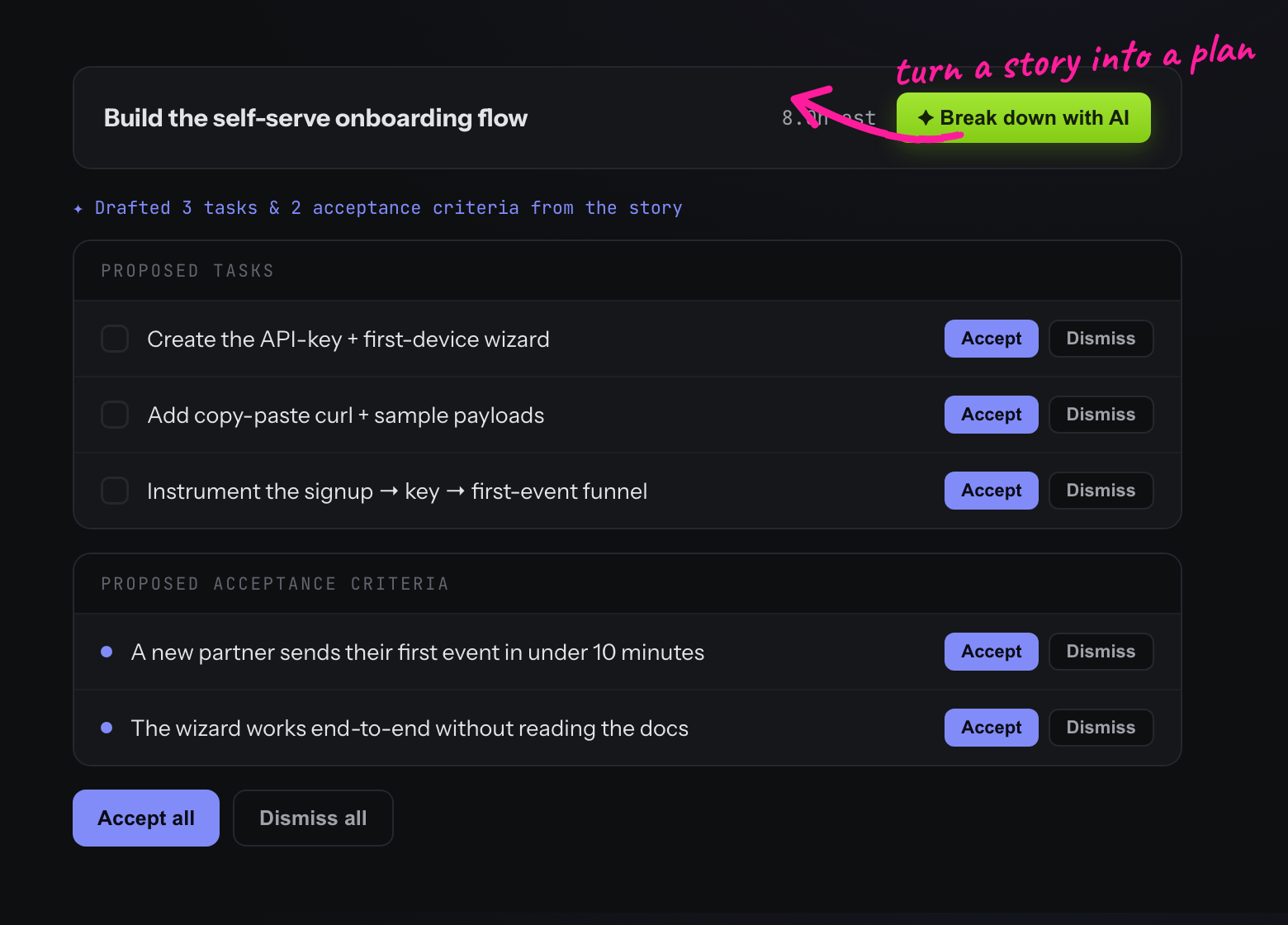
Goals hold stories (the concrete work), and stories hold tasks (a checklist) and acceptance criteria. Drag stories from the Backlog into a sprint, or add them inline. A story can also sit in the sprint ungrouped — no goal — and you can bucket it under a goal later. Each story carries an estimate in hours, an assignee, and a reviewer.
The sprint lifecycle
| Status | Meaning |
|---|---|
planning | Created but not yet committed — set capacity and goals |
active | Goals are set; the week is being executed |
reviewing | Week's done; time to reflect |
completed | Reviewed and closed — feeds velocity |
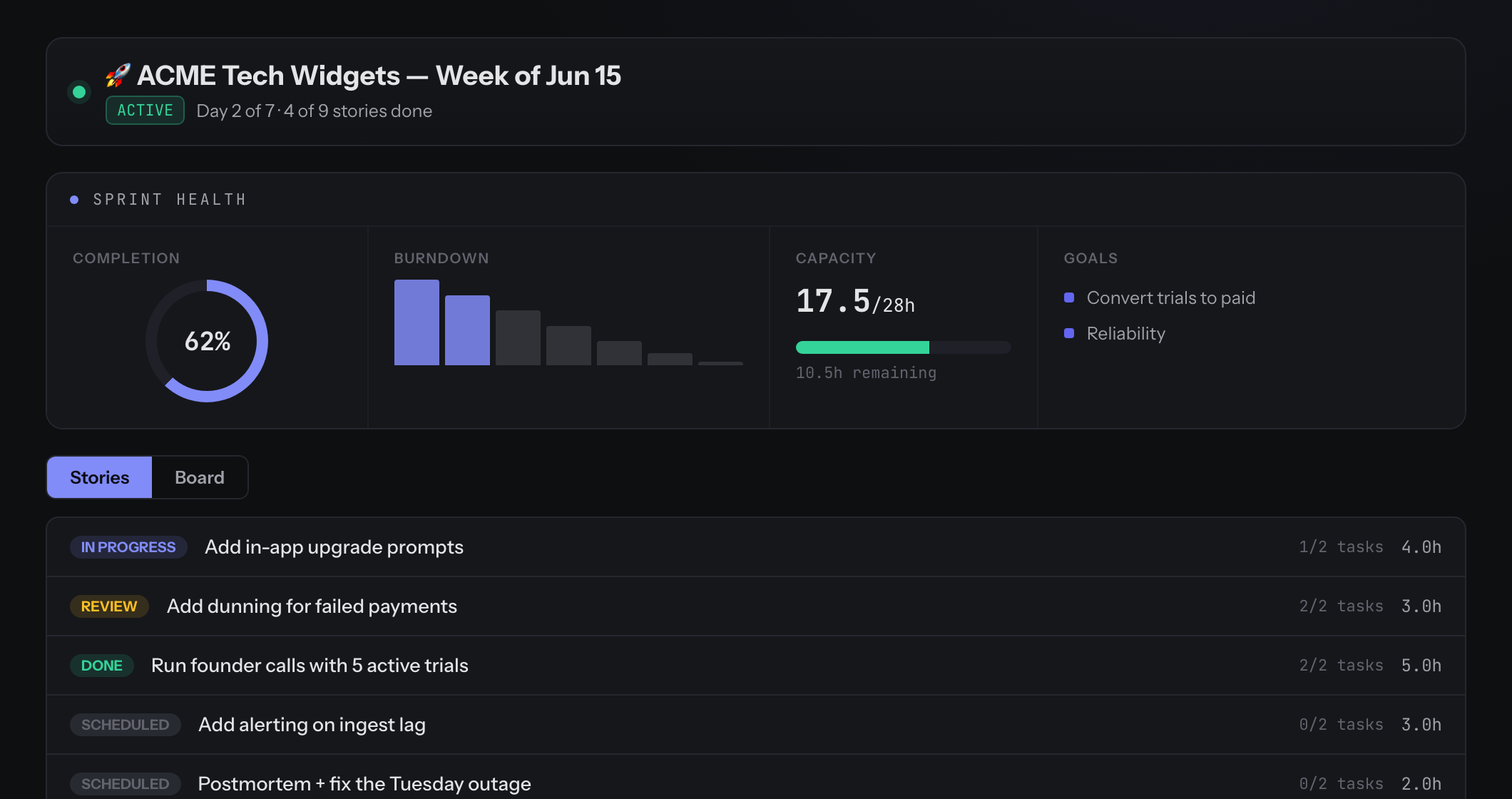
Throughout the week, the sprint page is a cockpit — sprint health, burndown, and a Stories / Board view in one place. Your velocity across completed sprints helps you plan the next one from facts instead of optimism.
How goal progress is calculated
Each sprint goal shows a progress percentage — how much of its work is done, weighted by hours. For every story under the goal, we take its checklist completion (completed tasks ÷ total tasks) and weight it by the story's estimated hours:
goal % = Σ(story's task-completion × its hours) ÷ Σ(hours)
A story with no checklist counts as done only once it's marked completed. Because the number is driven by the checklist, changing a story's status alone won't move the bar when that story has tasks — check off its tasks instead.
Execute from Today
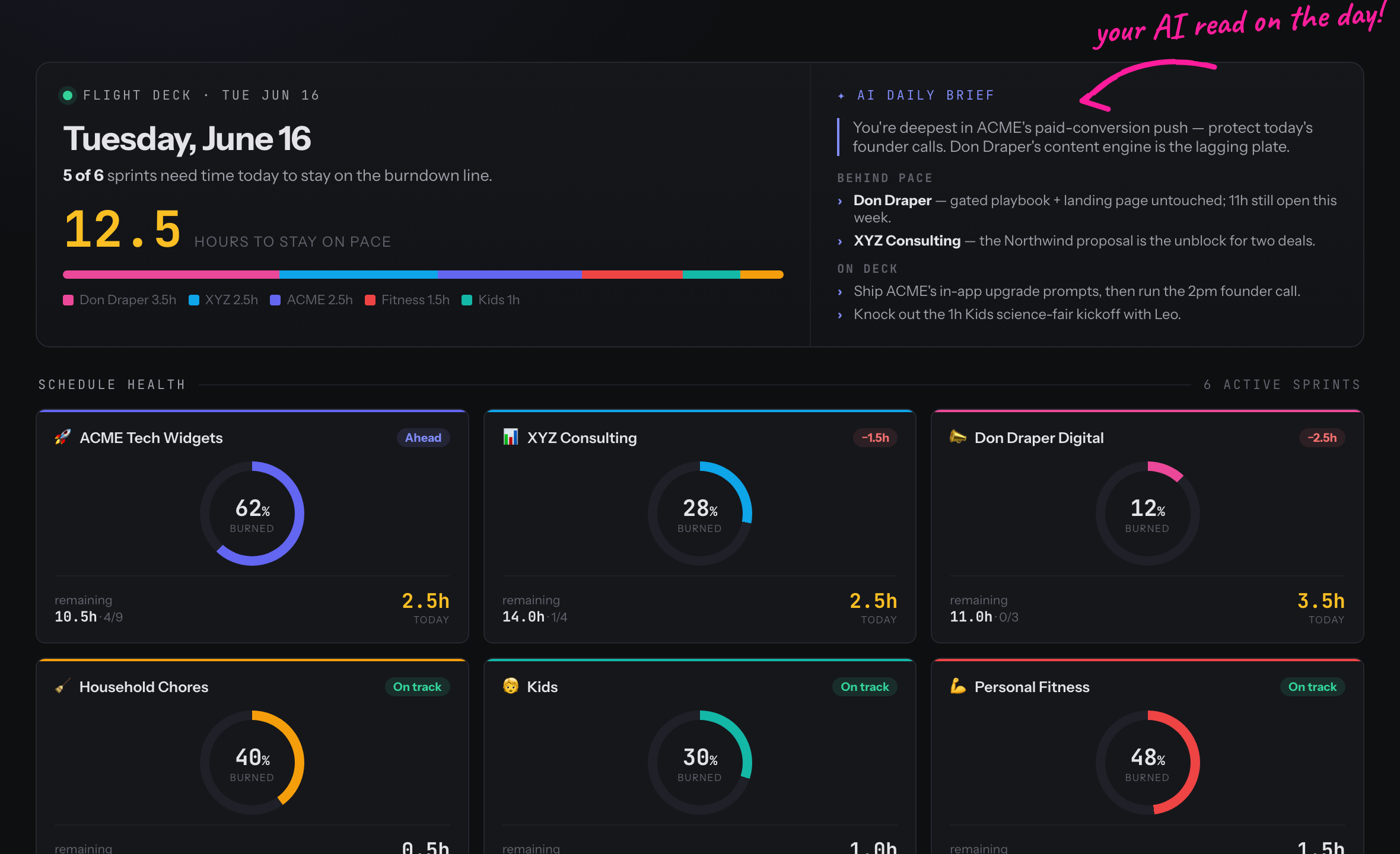
Each morning, Today is your single focus surface: a Now / Next / Done flow of what to work on, plus per-project schedule health so you know exactly how many hours each project needs to stay on pace.
Close the week with a review (your retrospective)
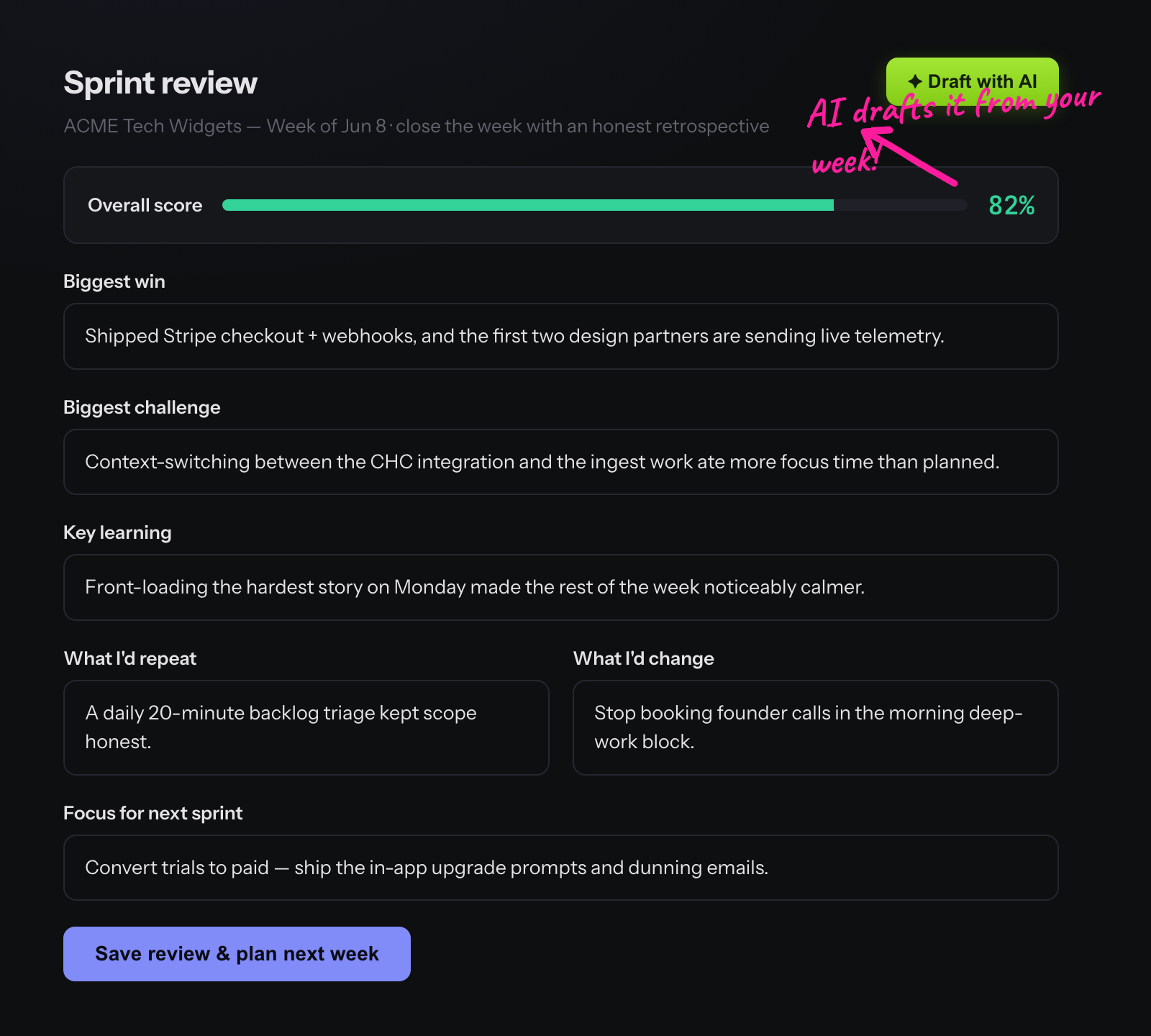
At the end of the sprint, KnightLeap nudges you to write a short review — Scrum's retrospective, sized for a solo operator. You capture the biggest win, the biggest challenge, a key learning, what you'd repeat or change, and your focus for next sprint. Saving a review completes the sprint and hands you straight into planning the next one, so the loop never breaks.