Quarterly objectives (OKRs)
Weeks are for execution; quarters are for direction. Objectives give each business a few measurable things to move over 13 weeks — and your weekly sprints roll up into them, so direction and daily work stay connected.
Objectives and key results
An objective is a qualitative aim attached to a business (a portfolio) or a single project, for one quarter. Each objective has a few key results — the numbers that prove progress. A key result has a starting value, a target, and a unit:
- Paying accounts — start 0, target 25
- Monthly recurring revenue — start $20, target $500
- Support hours per week — start 6, target 2 (progress counts downward)
Progress runs from the starting value to the target, so a baseline of 12 counts honestly — and a target below the start (like support hours) measures reduction.
The cockpit
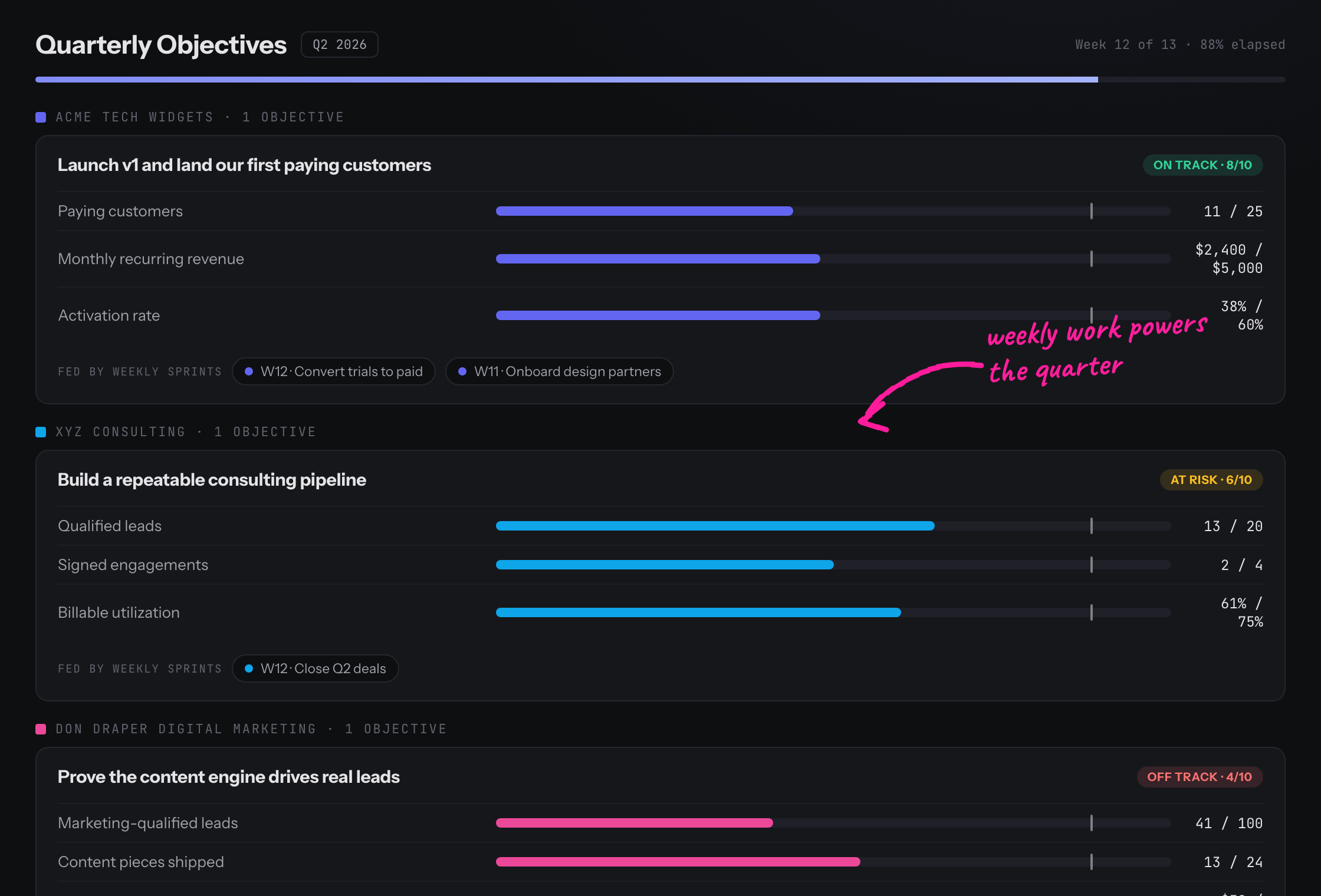
The Objectives page groups objectives by business for the current quarter. Each card shows its key results as progress bars with a pace tick — a marker for where you'd be if progress matched elapsed time — plus a confidence pill (On track / At risk / Off track) from your latest check-in.
Expand a card to see the 13-week movement grid (how each key result moved week by week) and the “Fed by weekly sprints” chips linking the sprint goals that drove it.
The weekly rhythm
- Update key results inline as the numbers move — each update is snapshotted to that week, building real history.
- Write a check-in: set your confidence (1–10) and a short note on what changed and what the call is.
- Tag your sprint goals: in Plan Week, each goal can “roll up to” an objective, so weekly work shows up as the objective's fuel.
Who can edit
Objectives attached to a whole business (portfolio) are managed by account owners; objectives on a single project are managed by that project's admins. Everyone on a business can see its objectives — editing and check-ins are limited to its planners.