Recurring routines & the calendar
The repeating parts of your week — client check-ins, content days, the school run, a Friday deploy review — shouldn't be re-typed every Monday. Define a routine once and KnightLeap schedules it into every week for you.
Create a recurring story, step by step
Any story can become a recurring template. Open the story and use its Recurrence panel:
- Open a story. Add a new one from the Backlog's New story (or the sprint page), or open an existing story. Give it a name, an estimate, a checklist, and an assignee & reviewer.
- Set a start time. Use the time chip near the top of the story. A 6:30am routine then lands at 6:30 on your Calendar and Today — in your profile time zone.
- Open the Recurrence panel on the story and choose how it repeats: Each sprint (one instance per sprint) or Weekly days.
- For Weekly days, tick the weekdays it should land on — e.g. Mon / Wed / Fri.
- Click Save. The story becomes a recurring template, and KnightLeap stamps its instances into each sprint for you.
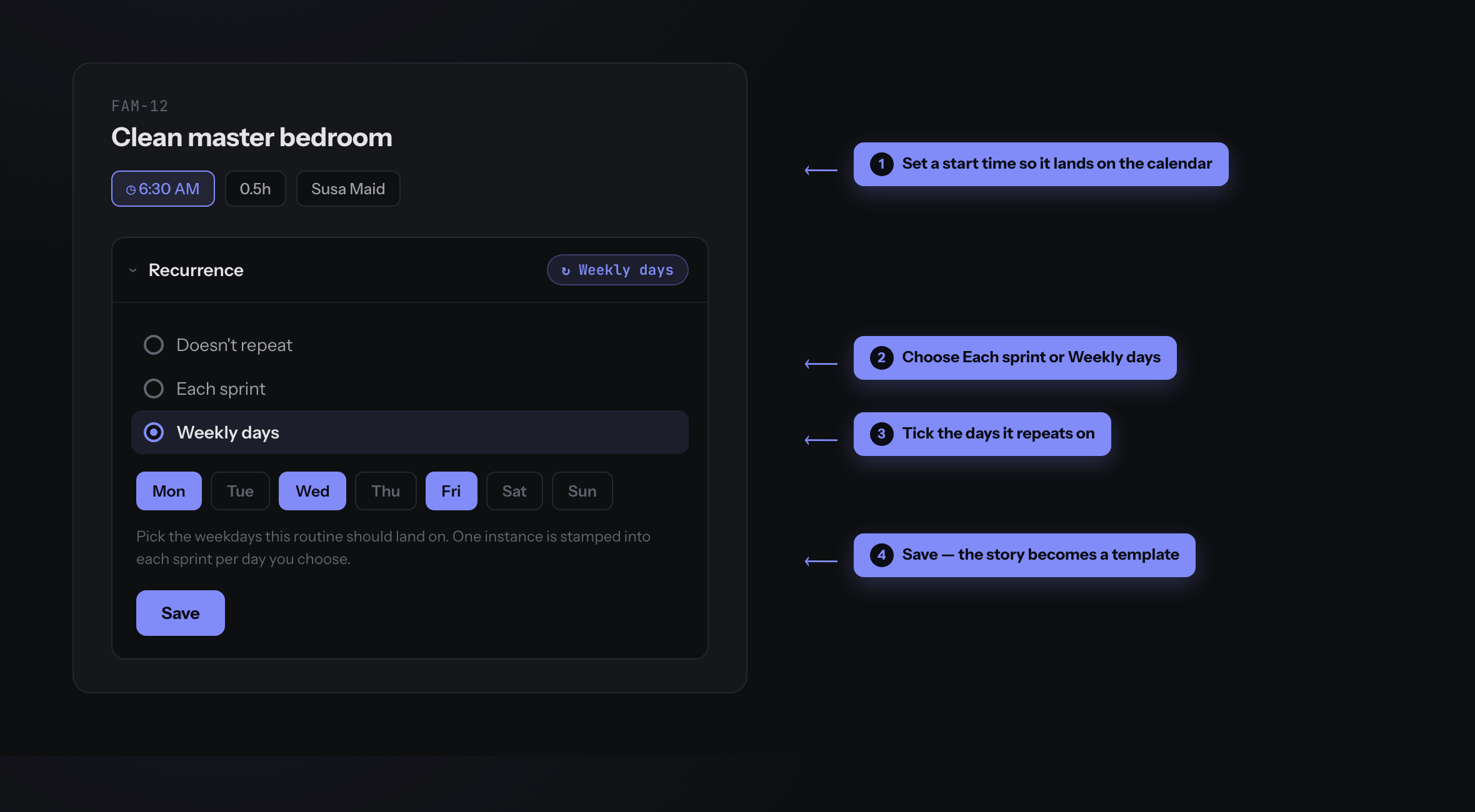
| Recurrence | Schedules |
|---|---|
Each sprint | One instance per sprint, on the sprint's start day |
Weekly days | One instance on each weekday you pick (e.g. Mon / Wed / Fri) |
Where your routines live
Templates live in their own Recurring Stories table on the Backlog — separate from one-off work, and deliberately not draggable into sprints, because the app stamps out their instances for you. This is where you go to edit a routine later.
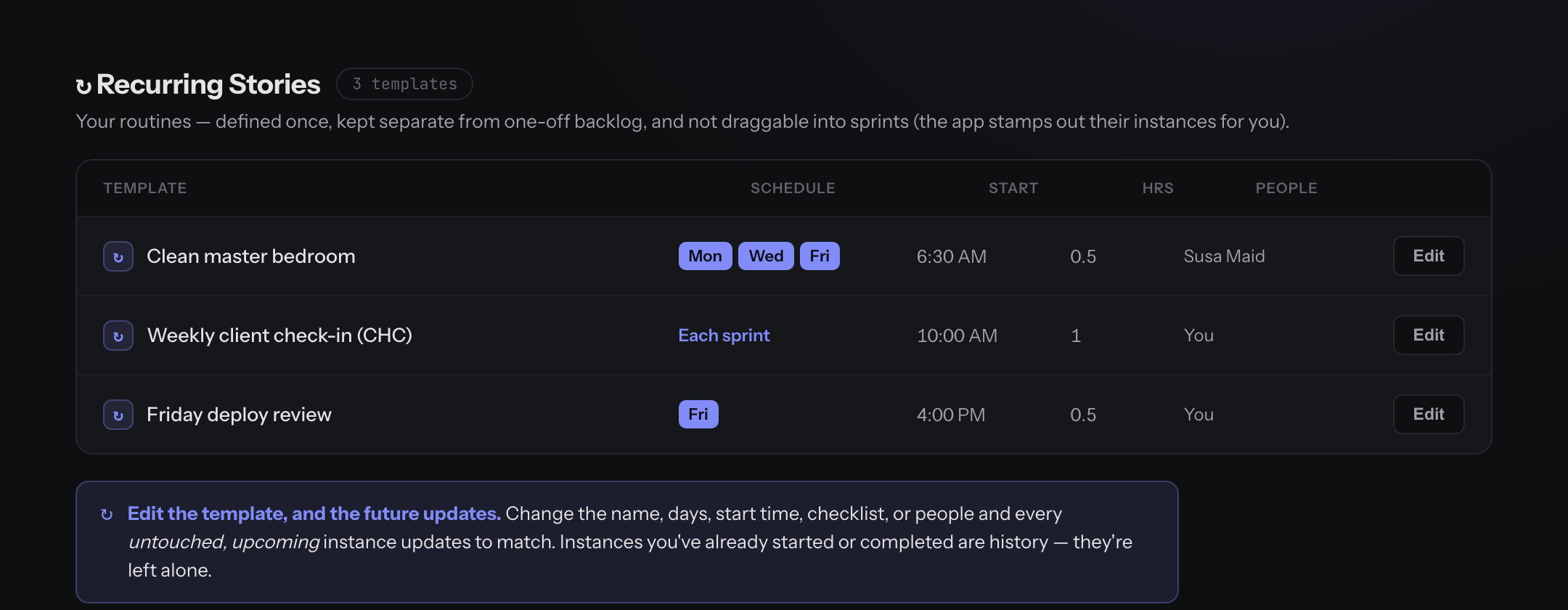
Instances appear automatically
As each week's sprint is planned, the routine's instances are created in that sprint — on the right days, at the right times, with the checklist and people copied over. You execute the instances; the template stays the source of truth.
See your week on the calendar
The Calendar lays out your week as days × hours and places the stories assigned to you that have a start time, sized by their estimate. The 6:30 school run and the 10:00 client call sit where they actually fall, completed ones checked off, with a line marking now.
Times are shown in your profile time zone, so make sure yours is set correctly — a 6:30 routine should read 6:30 to you and to everyone on your team.
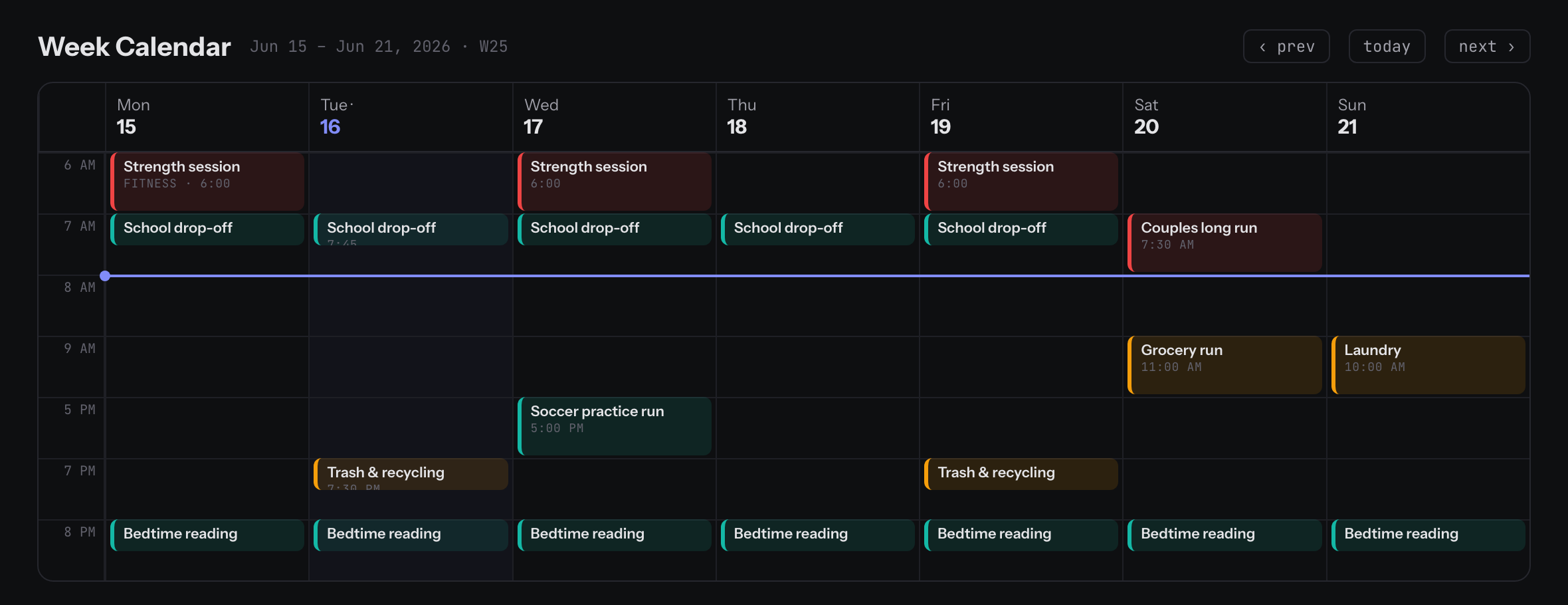
And on Today
Your Today page shows the routine instances that are actually actionable today — future-dated ones wait their turn, and once you've done everything possible it says so rather than nagging you for tomorrow's work.