The setup wizard, step by step
When you first sign in, KnightLeap offers a short guided setup — describe what you manage in plain language and the AI drafts your whole workspace: portfolios, projects, quarterly objectives, and a starter backlog. You confirm or edit everything before anything is saved. It takes a couple of minutes, and you can skip any step. (Prefer to poke around first? Choose demo data instead and explore a complete sample workspace.)
1 · Connect your AI
The first step asks for your provider and API key, then verifies it with a live call so you know it works before you go further. You can change or remove it later under Settings → AI. Skipping is fine — you'll just fill the next steps in by hand.
2 · Describe your work → portfolios & projects
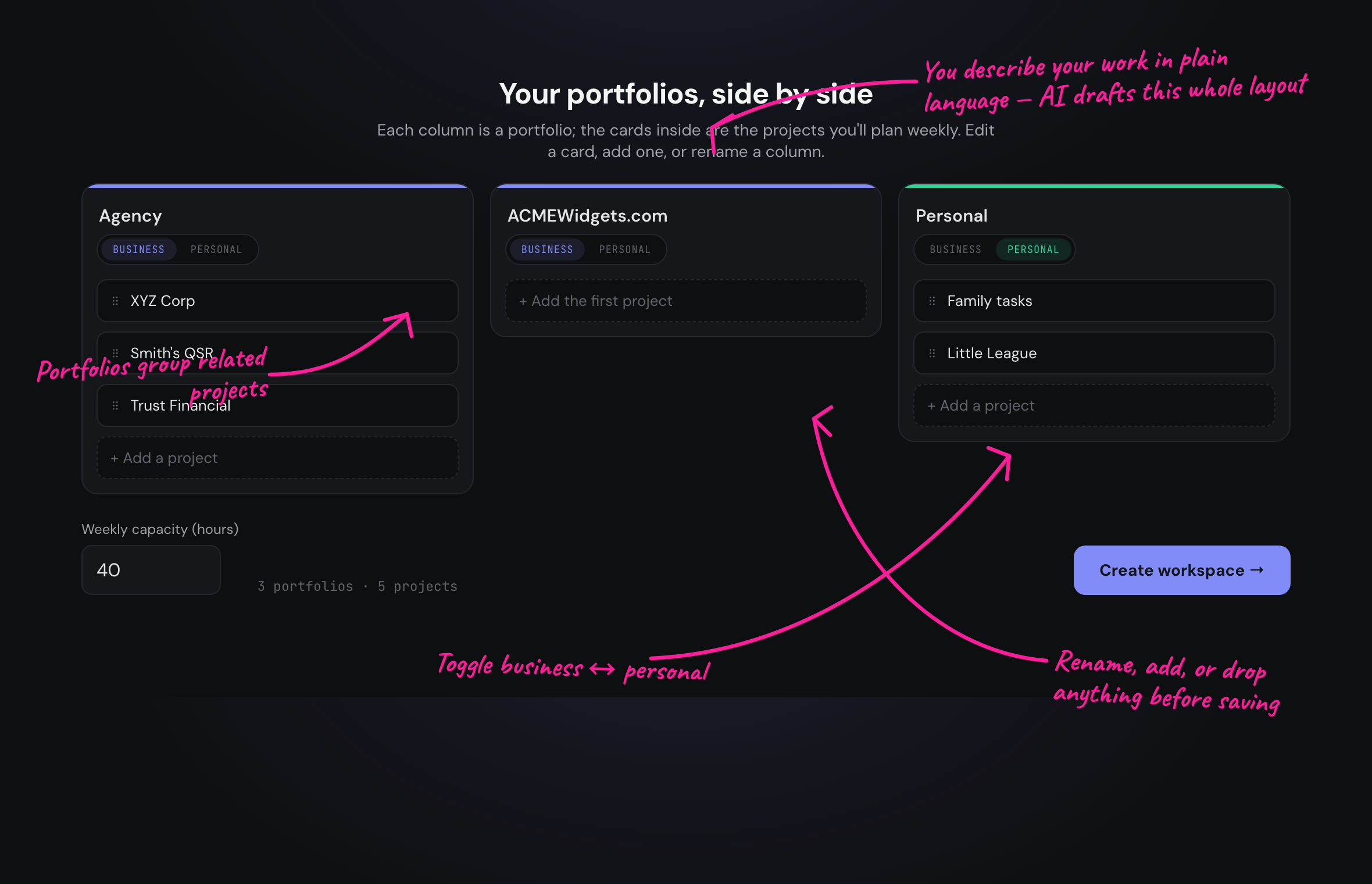
Write a sentence or two about what you run — your businesses, clients, products, and personal areas. The AI turns it into a tidy two-level structure: portfolios (a business, a client relationship, or a life area) holding projects (the concrete efforts you plan each week). Everything is editable inline — rename, add, drop, or re-tag before you save.
3 · Set quarterly goals (OKRs)
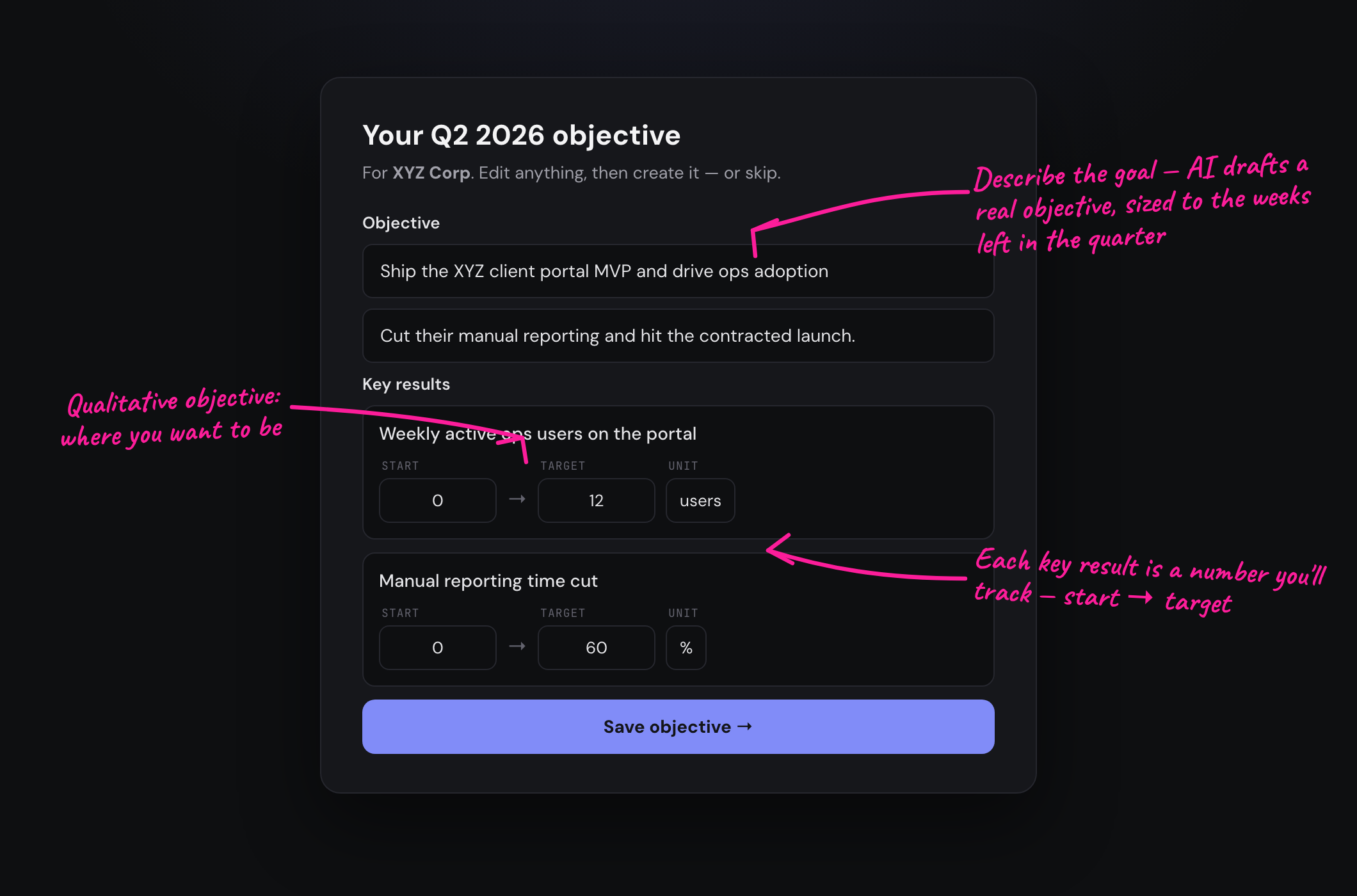
For any project, describe what you want to achieve this quarter and the AI drafts a well-formed objective with measurable key results — and it sizes the targets to the weeks actually left in the quarter. Edit the numbers, units, and wording, then save. The step loops project by project so you can cover as many as you like; it tells you when every project has a goal so you're not left guessing. Entirely optional.
4 · Seed your backlog
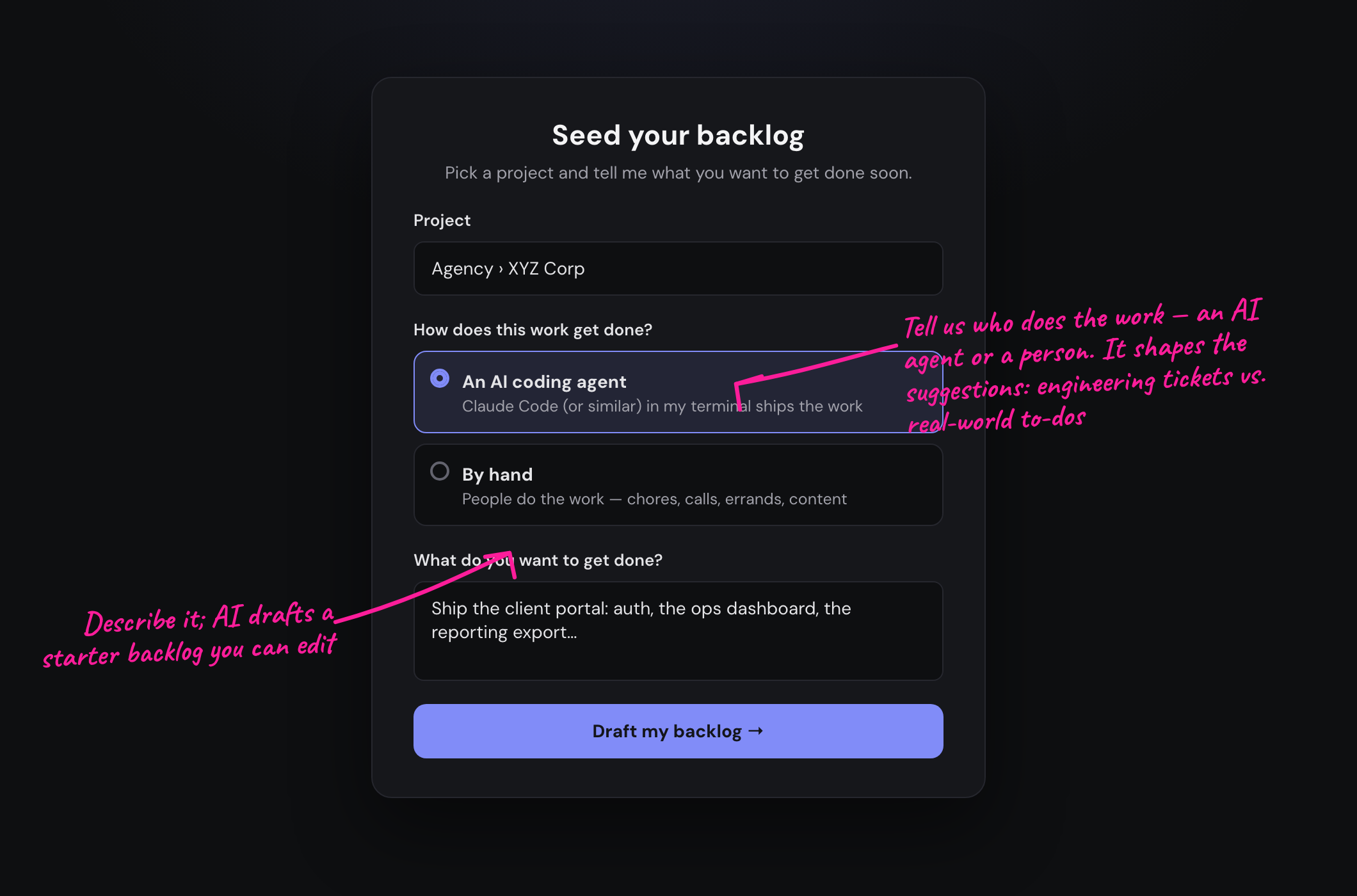
Pick a project, tell us how the work gets done — driven by an AI coding agent in your terminal, or by hand — and describe what you want to get done soon. That one choice shapes the draft: concrete engineering tickets for agent-driven work, real-world to-dos (chores, calls, errands) for hand-done work. Edit the list, set rough hour estimates, and add the stories to the project.
5 · Plan your first week
The wizard hands you to weekly planning: set the hours you can realistically give each project, pick up to three goals per project, then compose the sprint — the AI pulls the highest-value backlog stories that fit your capacity — and start the sprint. From there it's the normal weekly loop. See How weekly sprints work for the full rhythm.